Your AI agents, running on your tailnet.
Anchras puts hosts, Kubernetes, applications, and AI agents on the Tailscale network you already run. Tailscale-native compute. Tailscale networking for your AI agents, integrated.
Anchras Platform · Network · demo tailnet
Tailscale is the network. Anchras is the room you run it in.
You already know how Tailscale works. You like that it works. What you do not want is a second control plane, a parallel set of dashboards, or a separate audit log every time you add hosts, run Kubernetes, install software, or stand up an AI agent. Anchras puts compute, applications, and governed AI on the tailnet you already have, and reads from the same ACL, DNS, and device list you already manage. One tailnet. One operator surface. One audit log.
Bring your own Tailscale OAuth client, or use the Anchras-managed tailnet. Either way, every host, cluster node, deployment, and AI agent gets a tailnet identity, a tag, and an ACL position the moment it exists. There is no parallel network to keep in sync.
Your Tailscale account. Your ACL. Your audit log.
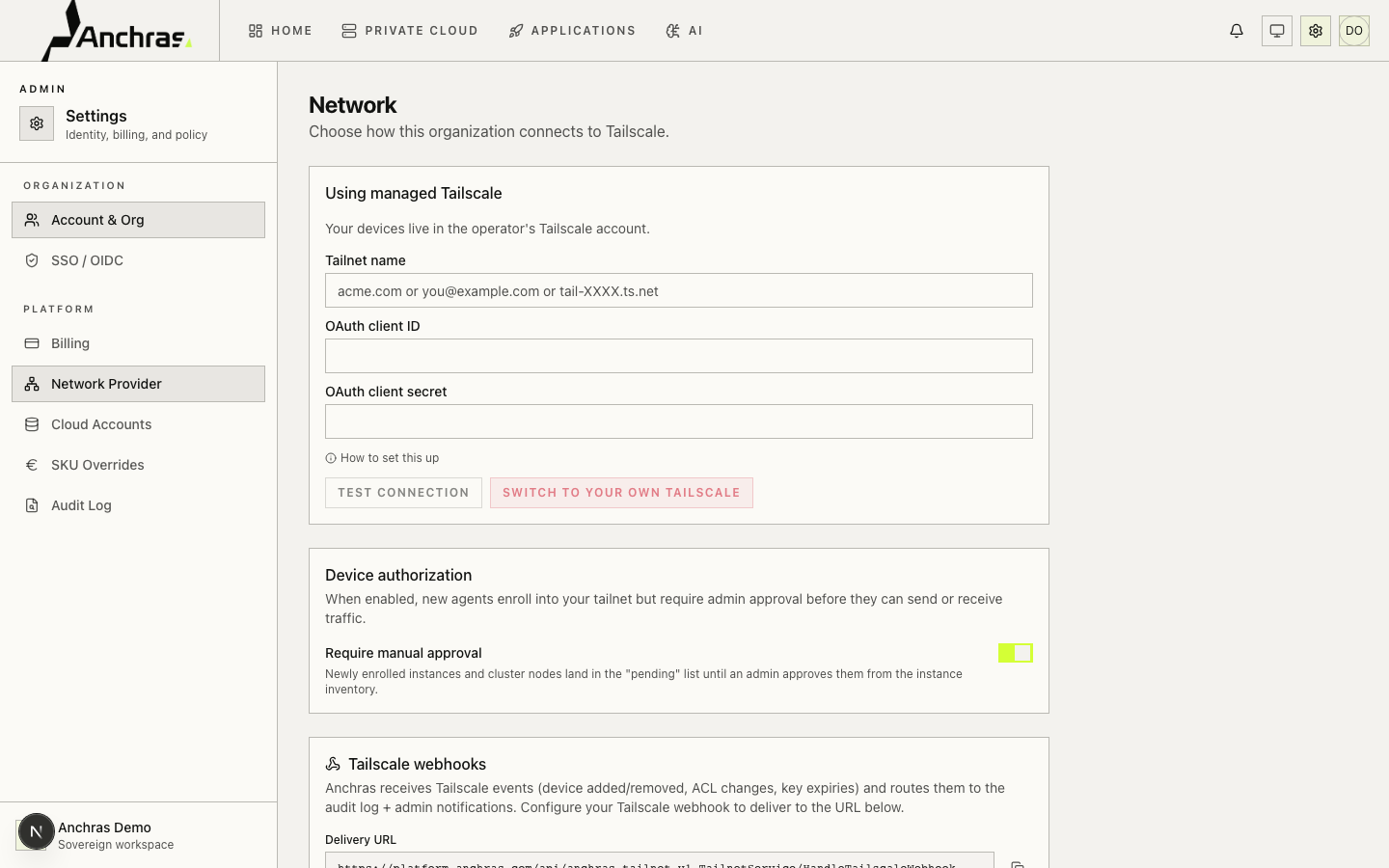
Anchras connects to your tailnet through a standard OAuth client with devices:write and policy:write scopes. Switch between Anchras-managed, BYO Tailscale, and self-hosted Headscale from the same screen. Provider switches are tracked end-to-end so you always know which tailnet a device actually lives on.
Device authorization stays in your hands: every new host or agent lands in a pending queue until an admin approves. Tailscale webhooks route key expiries, ACL changes, and device events into the Anchras audit log alongside platform actions.
Hosts, cluster nodes, agents, and apps. One screen.
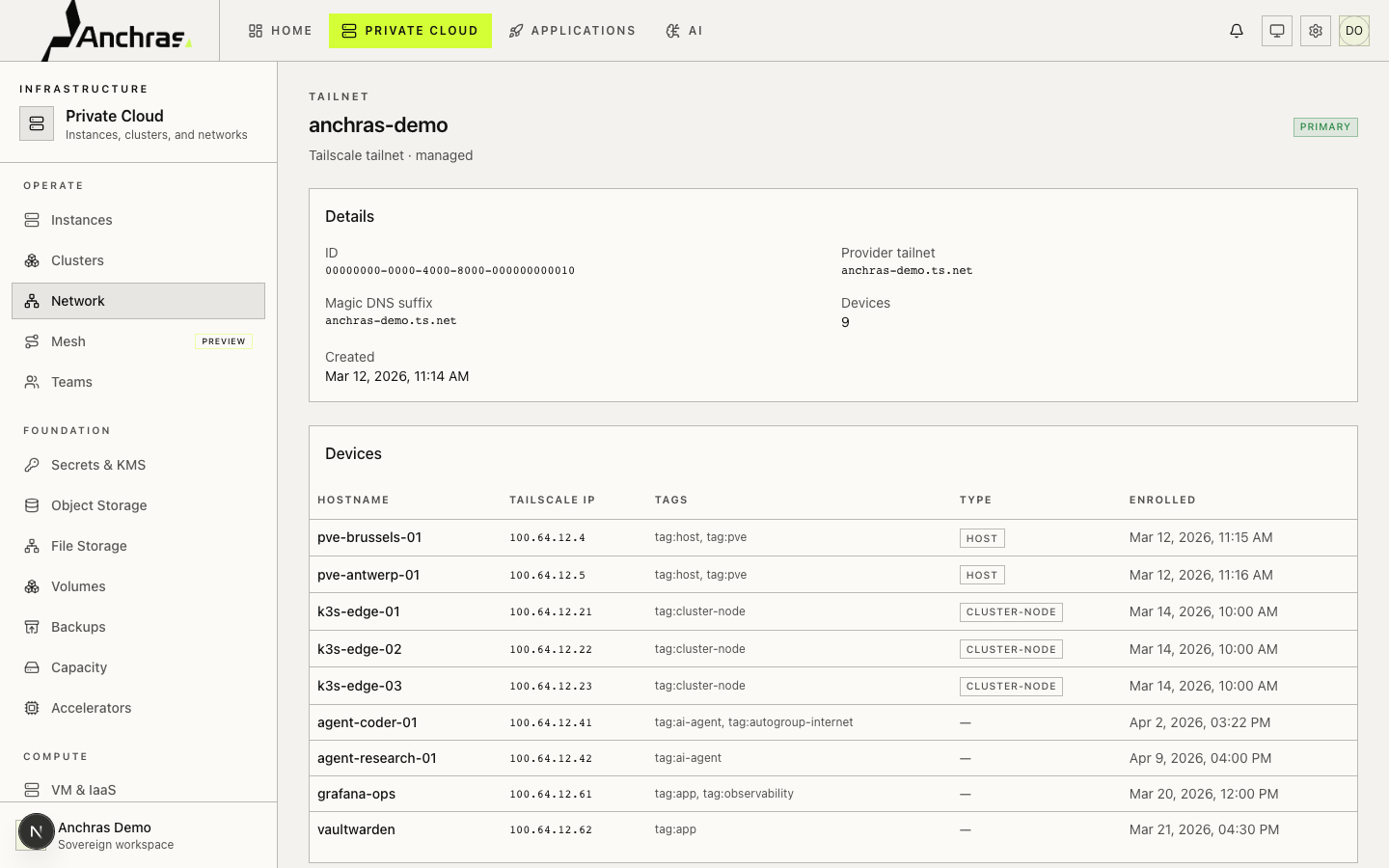
Every Proxmox host, every Kubernetes node, every catalog deployment, and every AI agent that Anchras runs joins your tailnet on creation. The Network page is the unified inventory: hostname, Tailscale IP, tags, enrollment date, last seen. Filter by tag, jump to the underlying host, cluster, deployment, or agent in one click.
Tags are not decoration. tag:host, tag:cluster-node, tag:ai-agent, and tag:app are how Anchras-generated ACL stanzas express least-privilege access. The same tags appear in your Tailscale admin panel.
The graph the ACL actually allows.
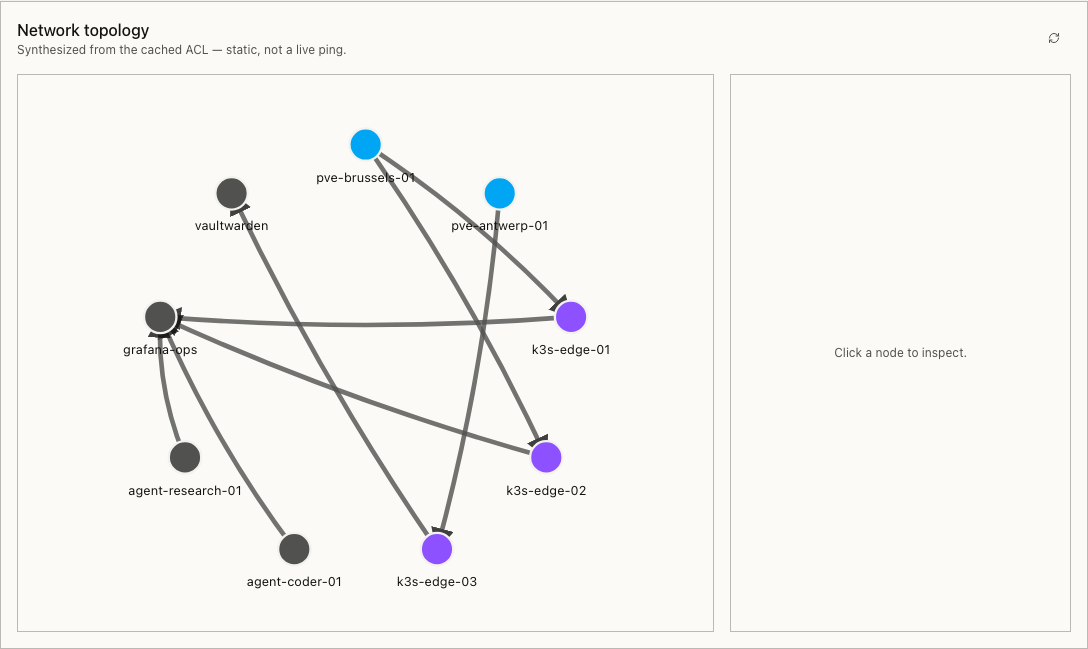
The topology view is rendered from the cached ACL, not from a ping sweep. Lines mean permitted, not active. When you change the policy file, the graph updates with it, so you can confirm a rule connects host A to cluster node B before you save.
Click a node to inspect it: tags, role, IP, the rules that reach in, the rules that reach out. The view is stable across reloads. No force-directed jitter to re-orient with.
Your Tailscale policy file. With Anchras' guard rails.
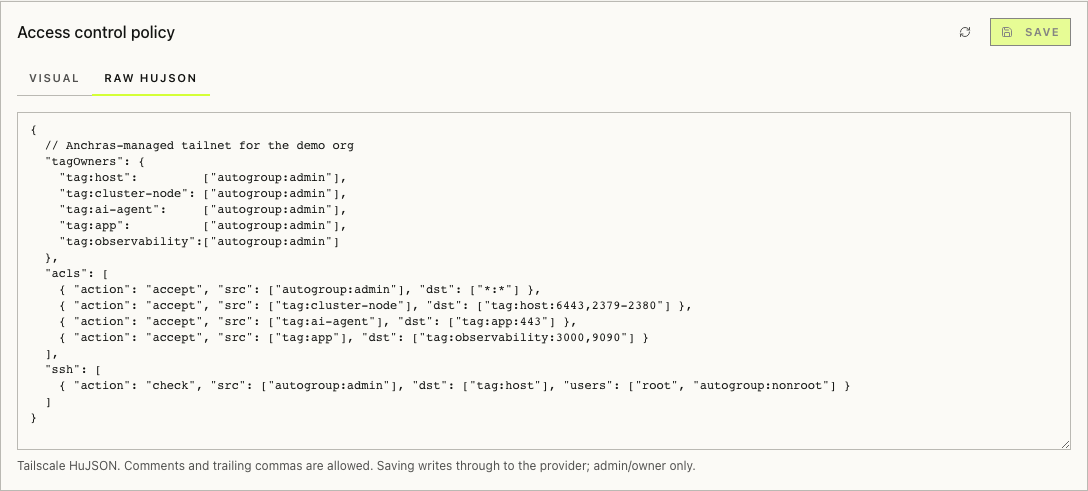
Edit the same HuJSON document the Tailscale admin console gives you, with comments and trailing commas preserved. A visual mode renders the most-edited subtree (acls[]) as an Action / Source / Destination / Ports table, while keeping tagOwners, ssh, autoApprovers, and tests verbatim around the edits.
Saves write through to your provider. Funnel grants, device authorization, and tag ownership live in the same file. No parallel state. No second source of truth. Every save lands in the audit log with the diff.
Every AI agent is a tailnet identity.
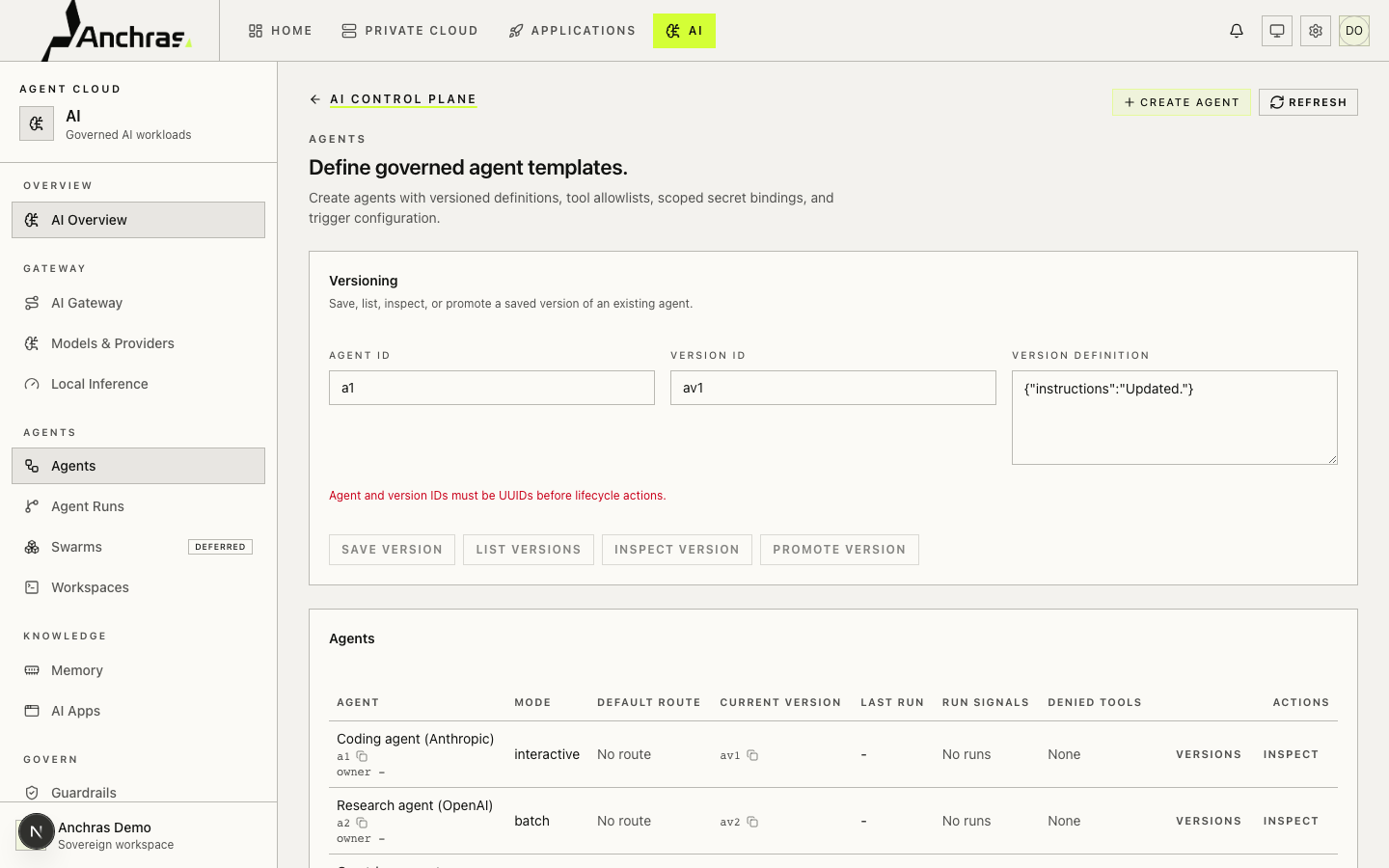
When you create an agent in Anchras, it gets a tailnet device of its own, with a tag, an IP, and a position in your ACL. Outbound calls go over the tailnet; an agent that needs Grafana hits grafana-ops.your-tailnet.ts.net, not a public URL. Calls that aren't allowed by the ACL are refused at the network layer, before your guardrails even see them.
Per-agent signals (runs, success rate, denied tools) sit next to the ACL position. The audit trail joins the Tailscale event log to agent runs and tool calls. One query, one timeline.
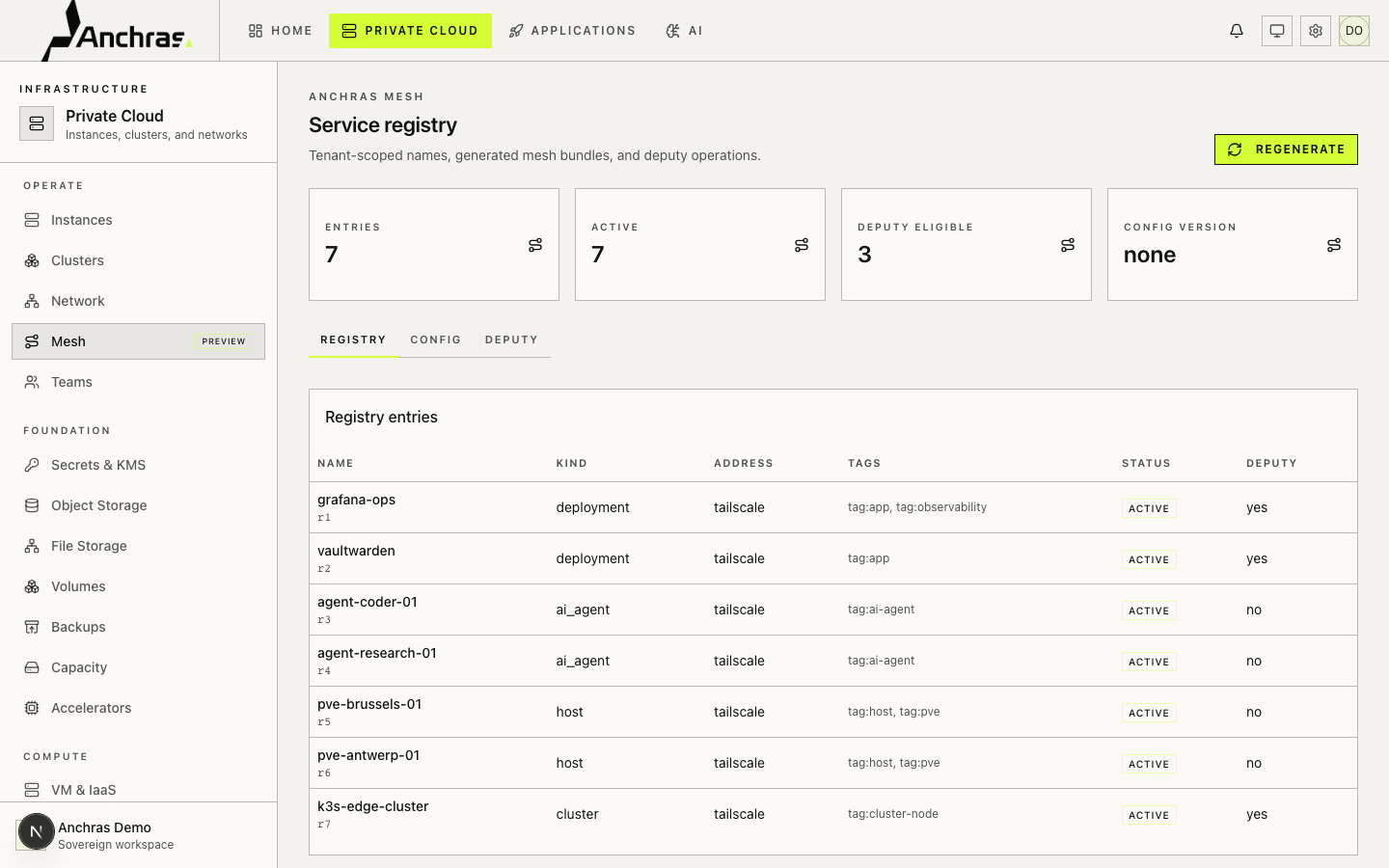
Anchras Mesh: every endpoint, deputy-aware.
The Mesh registry is the catalog of services on your tailnet: deployments, agents, hosts, clusters, keyed by tenant-scoped names. Each entry carries its Tailscale tags, endpoint, audit posture, and whether a deputy (Anchras' delegated controller) can act on it without escalating to the org admin.
Mesh config versions are immutable, diff-able, and roll back with a single click. Regenerate rebuilds the bundle from your ACL, DNS, and device list. Useful after a bulk operation. Useful before a postmortem.
Tailscale, plus the parts you would otherwise build.
Anchras does not replace Tailscale. It removes the work of running compute, governance, and audit alongside it.
- Tailnet, ACL, DNS, Funnel
- Devices and tags
- Webhooks, audit log of network events
- Admin console, CLI, SDKs
- Proxmox host registration that joins the tailnet on first boot
- Kubernetes (K3s, RKE2) clusters whose nodes are tailnet members by default
- Curated app catalog deploying to your clusters with tailnet DNS endpoints
- AI agents that are tailnet devices, with their own tag and ACL position
- One audit log spanning network events, platform actions, and AI tool calls
- Topology, ACL editor, and DNS editor that round-trip your provider verbatim
- Reviewable compliance posture: ISO 27001 documented, GDPR-aligned, your jurisdiction of choice
From OAuth client to running AI agent, on your tailnet.
-
01
Connect your tailnet
Paste an OAuth client ID and secret with
devices:writeandpolicy:writescope. Anchras tests the connection and stores the credential encrypted. -
02
Register compute
Install the Anchras agent on each Proxmox host. Bootstrap a Kubernetes cluster from the dashboard. Every node lands on your tailnet on first boot.
-
03
Deploy services
Pick a catalog app (Grafana, Vaultwarden, Nextcloud, …), pick a cluster, deploy. Endpoint is a tailnet hostname; expose publicly via Tailscale Funnel when you mean to.
-
04
Run agents
Create an AI agent. It gets a tailnet device, a tag, scoped secrets, and an ACL position. Outbound calls go over the tailnet. Every run is audited.
Your tailnet. Your audit log. Your exit door.
You own the Tailscale relationship: your tailnet, your OAuth client, your billing with Tailscale. Anchras' DPA reads like an engineer wrote it. ISO 27001 posture is documented and reviewable. The audit log Anchras keeps is yours to export and yours to query. If you leave, the tailnet stays where it is.
Tailscale and the Tailscale logo are trademarks of Tailscale Inc.